
Graph drawing with netplot
George G. Vega Yon
2026-09-11
Source:vignettes/examples.Rmd
examples.RmdHow to cite. If you use netplot in published work, please cite it — run
citation("netplot")in R for the full entry.
Some features:
- Auto-scaling of vertices using sizes relative to the plotting device.
- Embedded edge color mixer.
- True curved edges drawing.
- User-defined edge curvature.
- Nicer vertex frame color.
- Better use of space filling the plotting device.
Introduction
library(netplot)
library(igraph)
library(sna)
library(ggraph)

# We will use the UKfaculty data from the igraphdata package
data("UKfaculty", package = "igraphdata")

# With a fixed layout
set.seed(225)
l_ukf <- layout_with_fr(UKfaculty)
Since igraph and statnet do the plotting using base system graphics,
we can’t put everything in the same device right away. Fortunately, the
gridGraphics R package allows us to reproduce base graphics
using the grid system, which, in combination with the
function gridExtra::grid.arrange will let us put both base
and grid graphics in the same page. First me write a func
# Function to map base to grid
map_base_to_grid <- function(fun) {
  gridGraphics::grid.echo(fun)
  grid::grid.grab()
}
# Mapping base to grid
ig <- map_base_to_grid(function() plot(UKfaculty, main = "igraph"))
nw <- map_base_to_grid(function() gplot(as.matrix(as_adj(UKfaculty)), coord = l_ukf, main = "sna"))
#> Warning: `as_adj()` was deprecated in igraph 2.1.0.
#> ℹ Please use `as_adjacency_matrix()` instead.
#> This warning is displayed once per session.
#> Call `lifecycle::last_lifecycle_warnings()` to see where this warning was
#> generated.Here is an example with ggraph
ggraph::ggraph(UKfaculty, layout = l_ukf) +
  ggraph::geom_edge_arc() +
  ggraph::geom_node_point() +
  ggplot2::ggtitle("ggraph")

gg <- grid::grid.grab()
# Putting all together
gridExtra::grid.arrange(ig, nw, gg, np, nrow=2, ncol=2)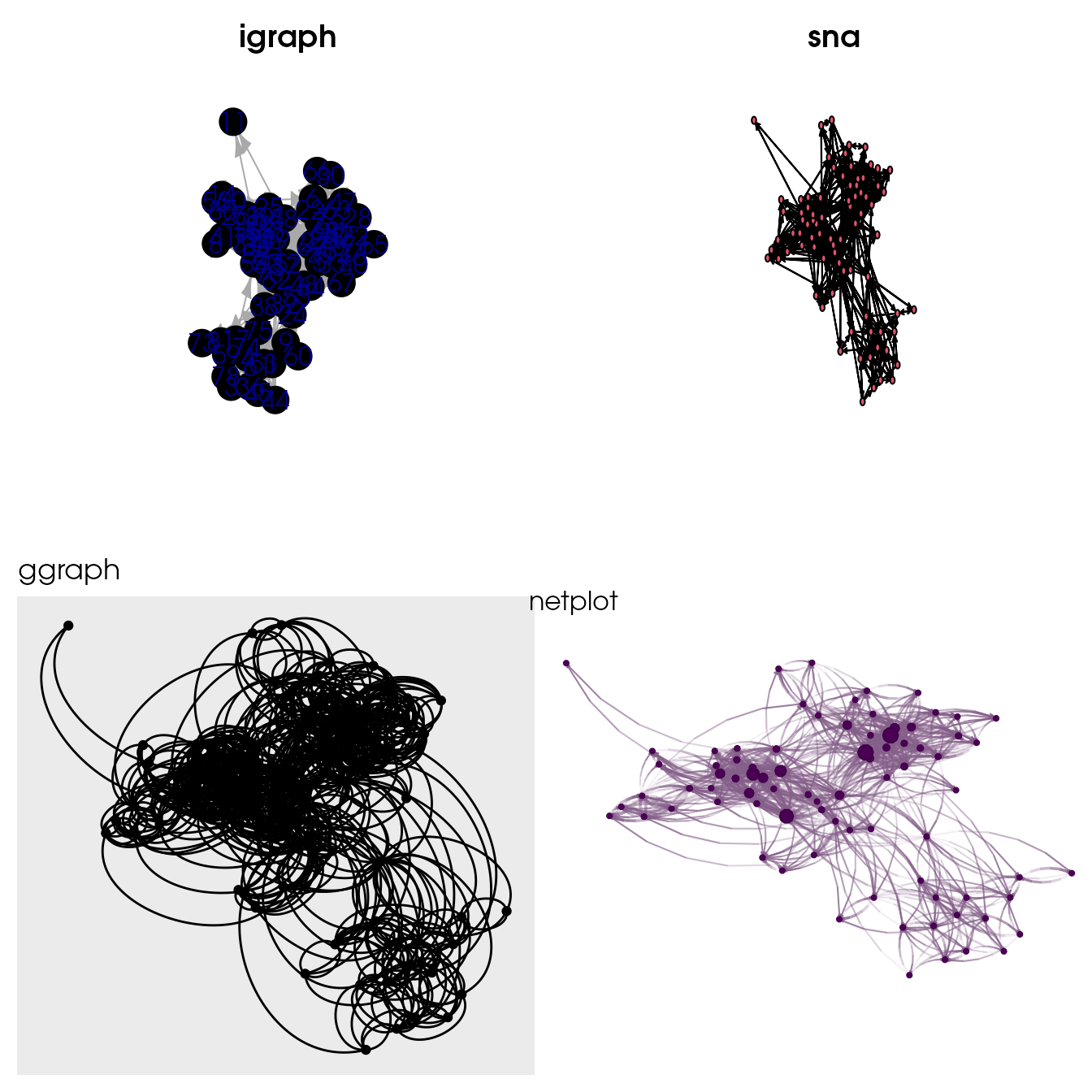
Comparison of default igraph, sna,
ggraph, and netplot default call.
nplot fills completely the plotting area, and adjusts
vertex size, edge width, and edge arrows’ size accordingly to the
plotting area and plotting device.
Multiple plots
To arrange multiple plots in the same page we can use the
grid.arrange function from the gridExtra
package
x_igraph  <- sample_smallworld(1, 20, 4, .05)
x_network <- intergraph::asNetwork(x_igraph)

l <- layout_nicely(x_igraph)

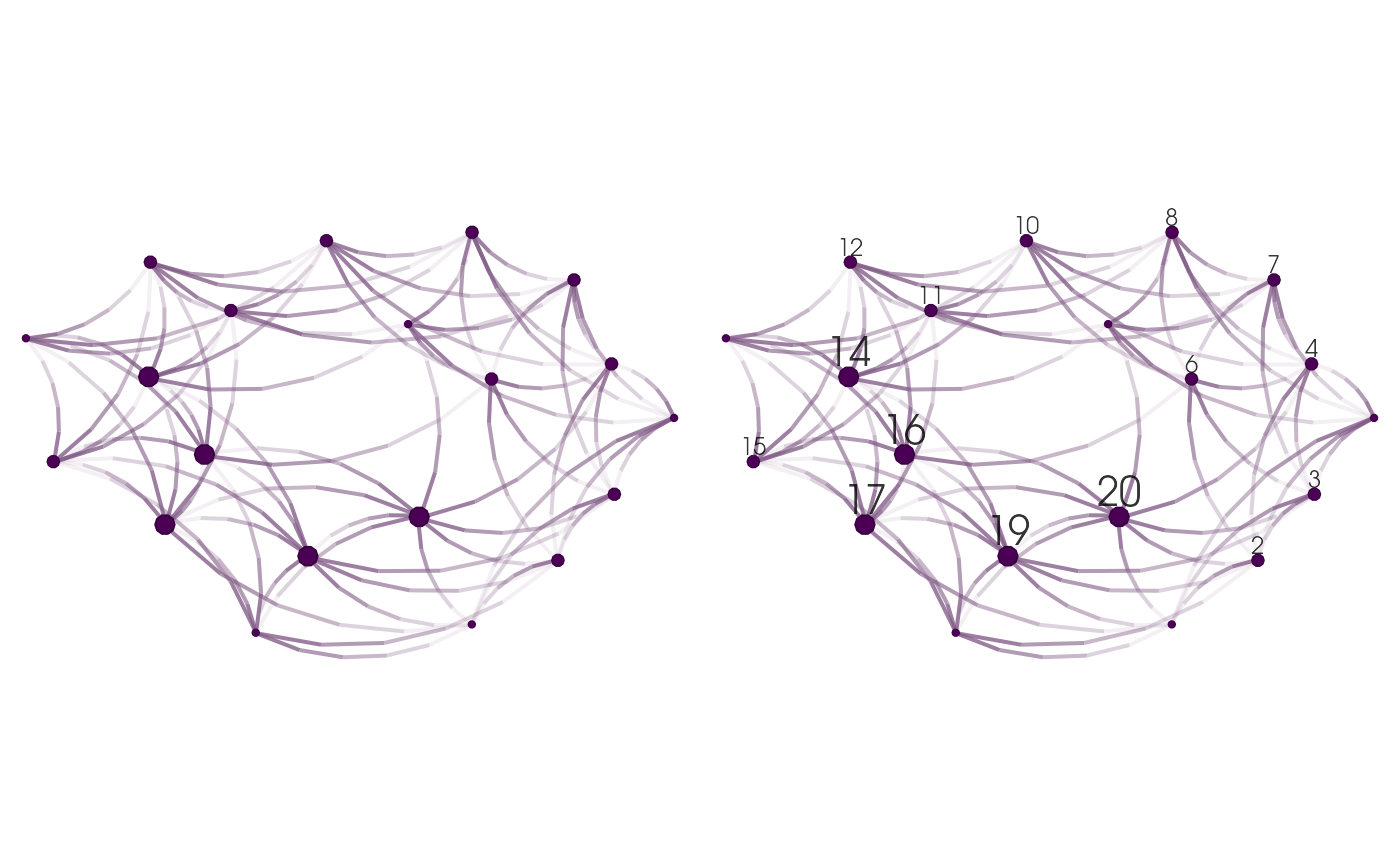
# Putting two plots in the same page (one using igraph and the other network)
gridExtra::grid.arrange(
  nplot(x_igraph, layout = l),
  nplot(x_network, layout = l), ncol=2, nrow=1
)
Nodes
gridExtra::grid.arrange(
  nplot(UKfaculty, layout = l_ukf,
        vertex.size = rep(.025, vcount(UKfaculty)),
        vertex.size.range = NULL),
  nplot(UKfaculty, layout = l_ukf, vertex.size.range = c(.01, .025)),
  nplot(UKfaculty, layout = l_ukf, vertex.size.range = c(.01, .025, 4)),
  nplot(UKfaculty, layout = l_ukf, vertex.size.range = c(.02, .05, 4)),
  ncol=2, nrow=2
)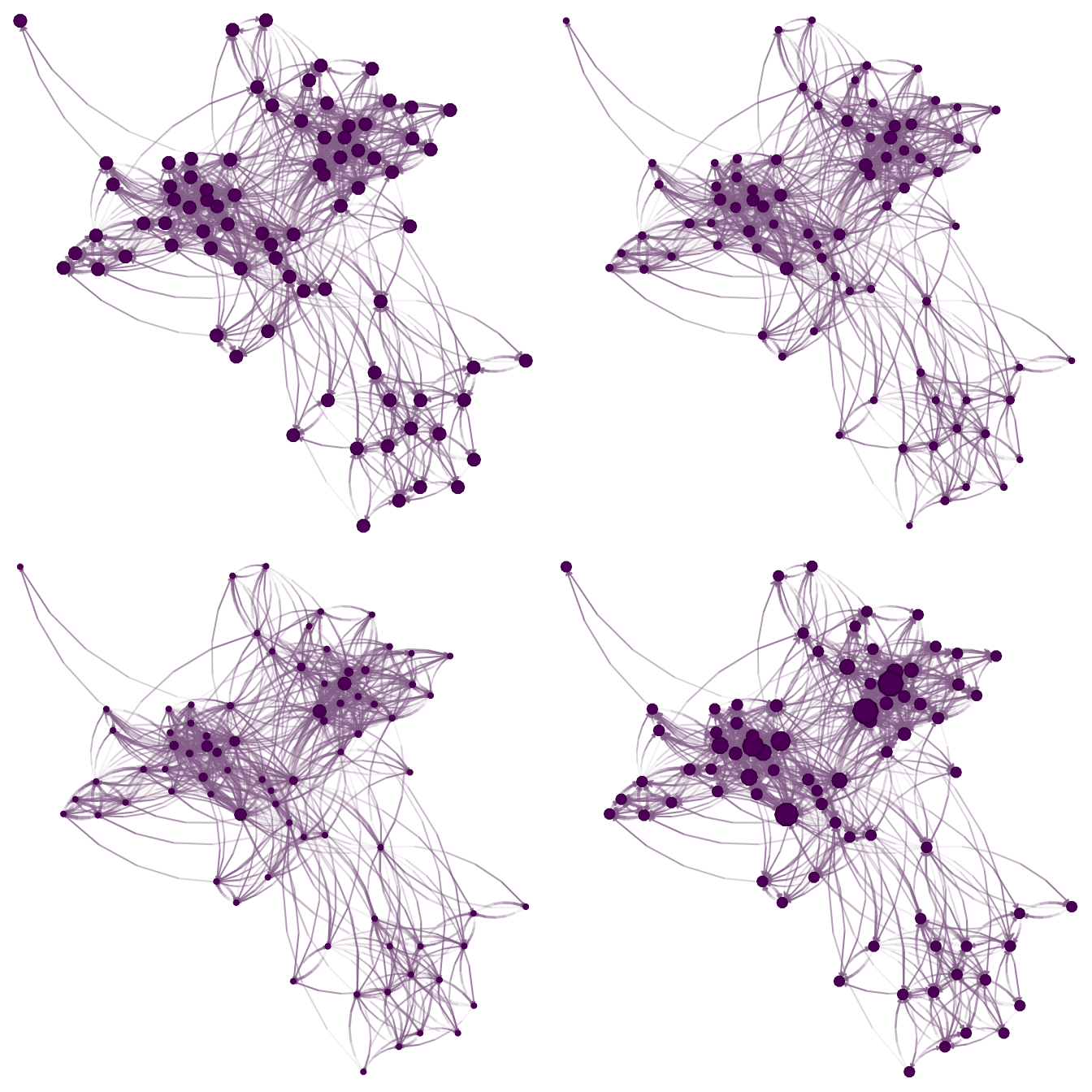
Modifying vertex.size.range: use NULL to keep
the supplied vertex sizes unchanged.
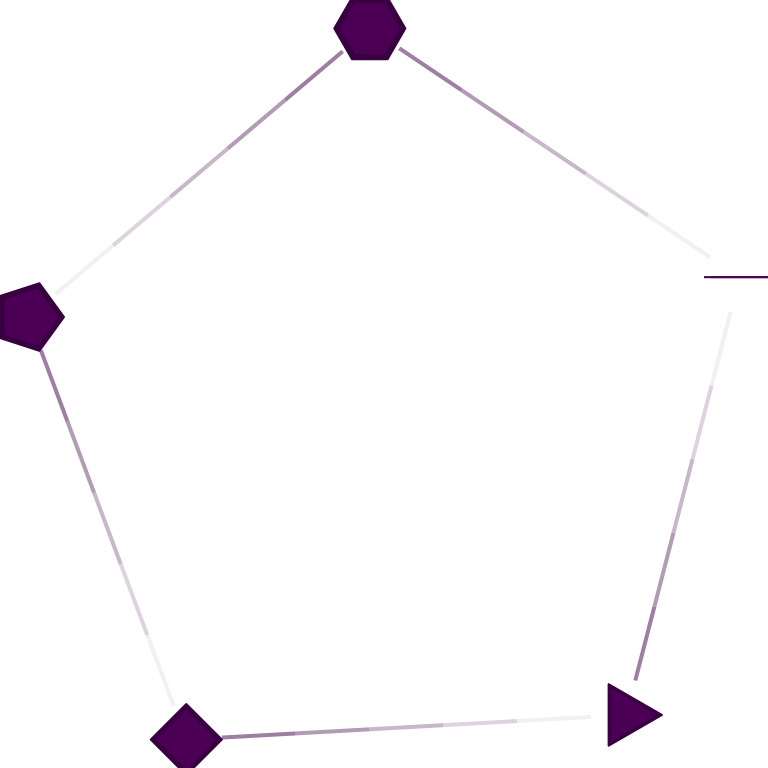
Number of sides for node drawing.
Edges
set.seed(12233)

x <- sample_smallworld(1, size = 10, nei = 2, .1)
l <- layout_with_fr(x)
gridExtra::grid.arrange(
  nplot(
    x, layout          = l,
    edge.color        = ~ego(mix=0, alpha = .1, col="black") + alter(mix=1),
    vertex.size.range = c(.05,.1)
    ),
  nplot(
    x, layout          = l,
    edge.color        = ~ego(mix=.5, alpha = .1, col="black") + alter(mix=.5),
    vertex.size.range = c(.05,.1)
    ),
  nplot(
    x, layout          = l,
    edge.color        = ~ego(mix=1, alpha = .1, col="black") + alter(mix=0),
    vertex.size.range = c(.05,.1)
    ),
  ncol=3, nrow=1
)
Modifying edge.color.mix: Each figure shows a different
parameter for the edge color mixer. From left to right, (a) colors the
edges as alter, (b) mixes ego and alter’s colors, and (c) only uses ego
gridExtra::grid.arrange(
  nplot(x, layout = l, edge.curvature = 0, vertex.size.range = c(.05,.1)),
  nplot(x, layout = l, edge.curvature = pi/2, vertex.size.range = c(.05,.1)),
  nplot(x, layout = l, edge.curvature = pi, vertex.size.range = c(.05,.1)),
  ncol = 3, nrow=1
)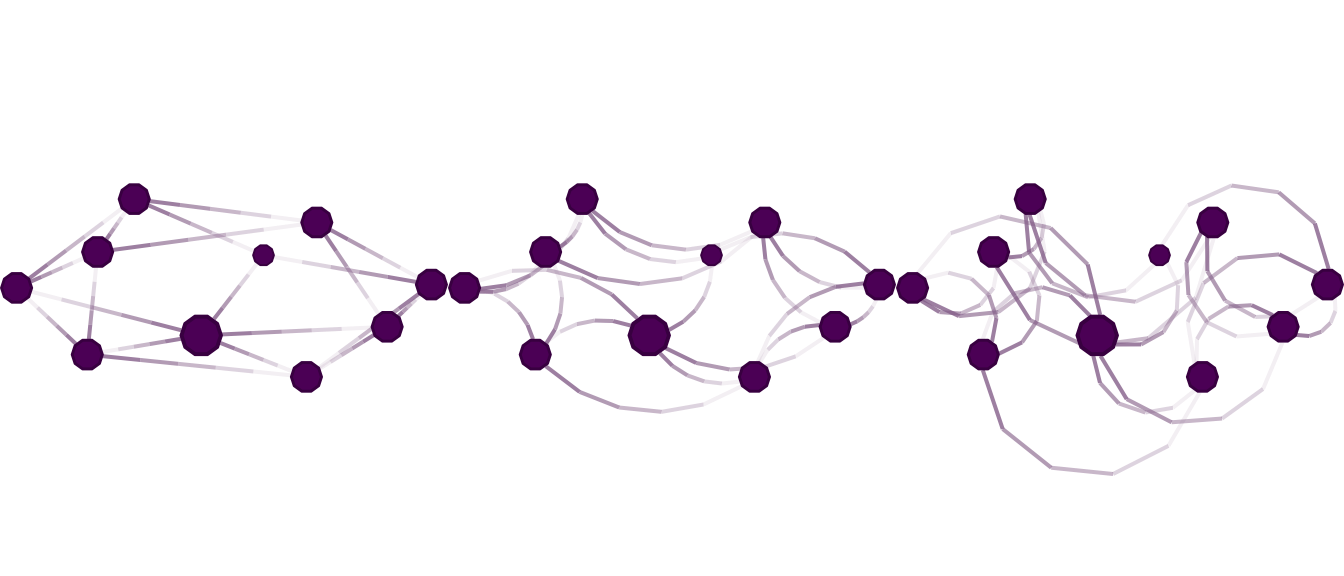
Modifying edge.curvature: Each figure shows a different
parameter for the edge curvature. From left to right, (a) straight
edges, (b) the edge between ego and alter is an arc that measures
radians (90 degree), and (c) the edge as an arc between ego and alter
that measures
radians (180 degrees).
gridExtra::grid.arrange(
  nplot(x, layout = l, edge.line.breaks=3),
  nplot(x, layout = l, edge.line.lty = 2, edge.line.breaks=10),
  nplot(x, layout = l, edge.line.lty = 3, edge.line.breaks=10),
  nplot(x, layout = l, edge.line.lty = 4, edge.line.breaks=10),
  nrow=2, ncol=2
)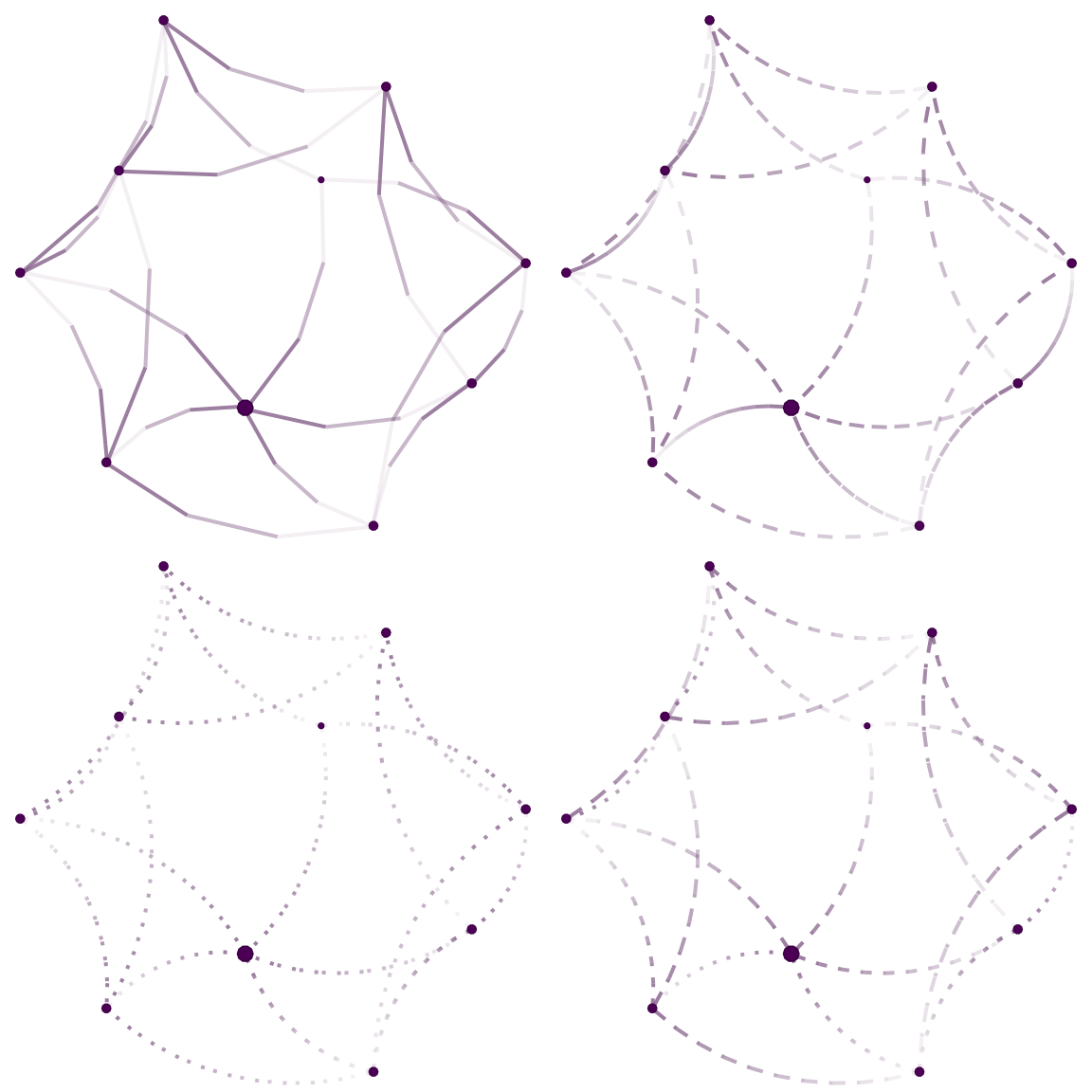
Changing the number of breaks in the edge (arc) and the type of line to be drawn.
Edge width
The edge.width parameter controls the relative width of
each edge. Values are normalized and mapped to the range
[min, max] specified by edge.width.range (in
points). For nplot.igraph, this defaults to the
"weight" edge attribute when present. Use
edge.width.range = NULL to keep supplied widths
unchanged.
set.seed(1)
x_w <- make_ring(8)

# Assign varying edge weights
E(x_w)$weight <- c(1, 3, 1, 5, 2, 4, 1, 6)
l_w <- layout_in_circle(x_w)
gridExtra::grid.arrange(
  nplot(x_w, layout = l_w, skip.arrows = TRUE,
        vertex.size.range = c(.05, .05),
        edge.width = 1,
        edge.width.range = c(1, 2)),
  nplot(x_w, layout = l_w, skip.arrows = TRUE,
        vertex.size.range = c(.05, .05),
        edge.width = E(x_w)$weight,
        edge.width.range = c(1, 2)),
  nplot(x_w, layout = l_w, skip.arrows = TRUE,
        vertex.size.range = c(.05, .05),
        edge.width = E(x_w)$weight,
        edge.width.range = NULL),
  ncol = 3, nrow = 1
)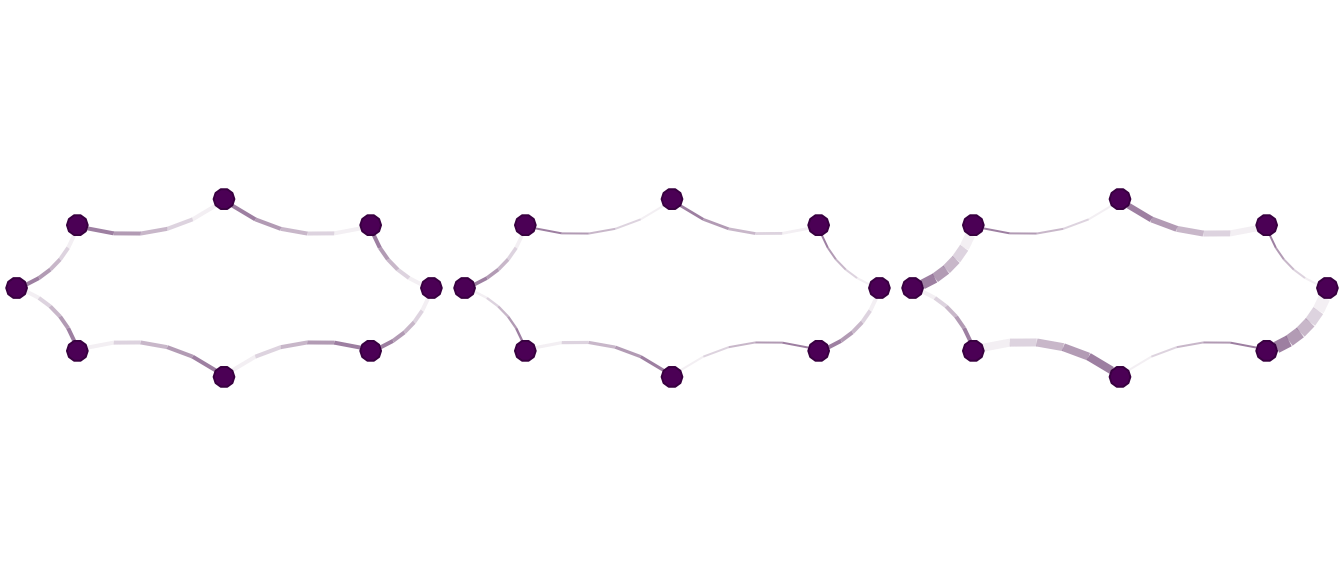
Effect of edge.width and edge.width.range.
Left: uniform width. Middle: weights mapped to 1–2 pt. Right: raw
weights with edge.width.range = NULL.
You can also modify edge widths after the plot has been created using
set_edge_gpar():
g <- nplot(x_w, layout = l_w, skip.arrows = TRUE,
           vertex.size.range = c(.05, .05))

gridExtra::grid.arrange(
  set_edge_gpar(g, element = "line", lwd = 1),
  set_edge_gpar(g, element = "line", lwd = 4),
  ncol = 2
)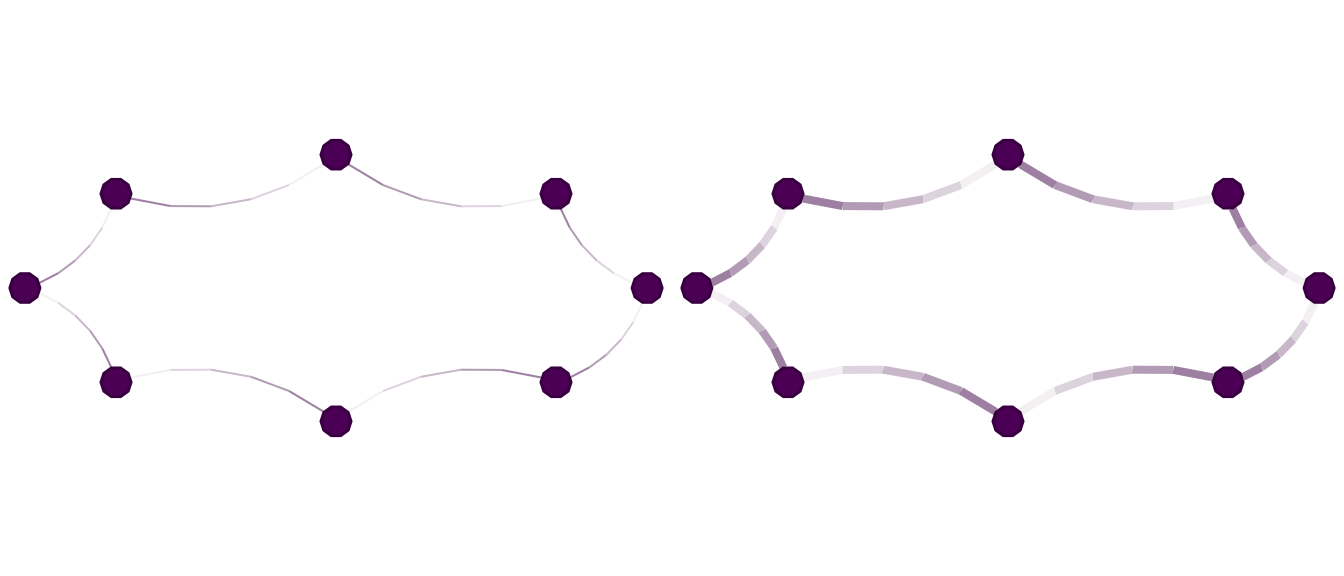
Using set_edge_gpar() to change edge widths after plotting.
Left: all edges set to 1 pt. Right: all edges set to 4 pt.